
Instructions for the preparation and conduct of case lessons on the EduFuture 7W Platform
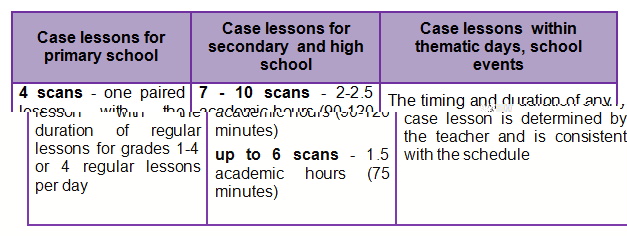
- The duration of the case lesson
The duration of the case lesson depends on how much time you can spend on it and how much material (number of scans) the case lesson has.
This can be one lesson, two paired lessons, a full day, an elective course (1-4 hours), or a 1-2 week immersion method.
The recommended time that can be allocated for a case study will also depend on the age of the student being assigned and for what purpose the teacher plans to use it.
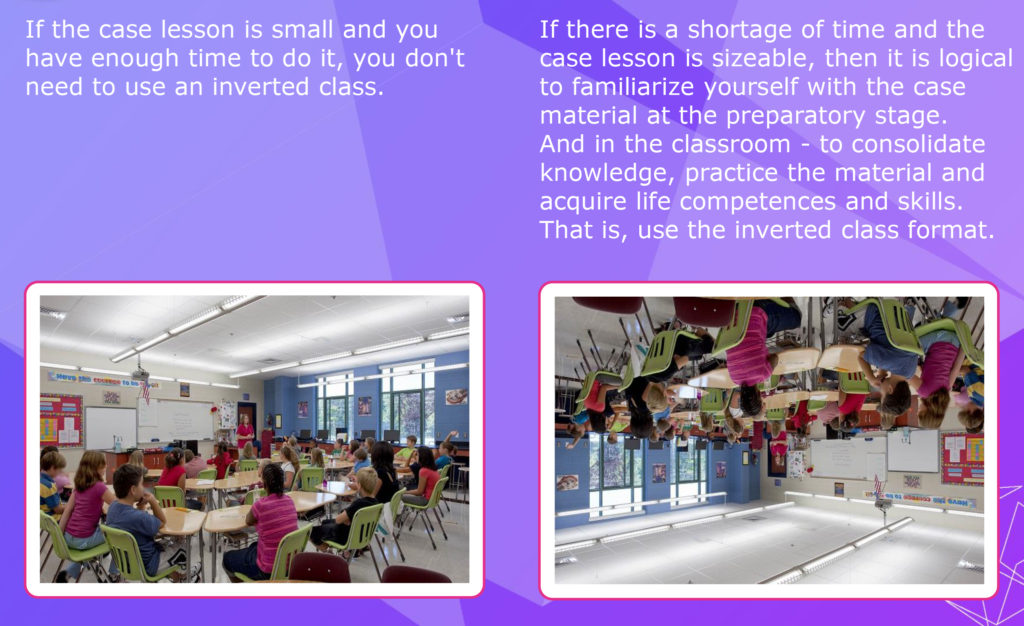
If there is a large amount of learning material and little time to spend, it is worthwhile to use inverted-class technology:
- 2. Case lesson timing planning
When preparing for a case lesson, the teacher first reads a case lesson on his own, indicating how long he will need to explain the material, view illustrations and infographics, complete tasks, questions, interactive breaks, activities, and discussions.This information is required when planning a case lesson timing and will help you determine the total time it takes to conduct it.
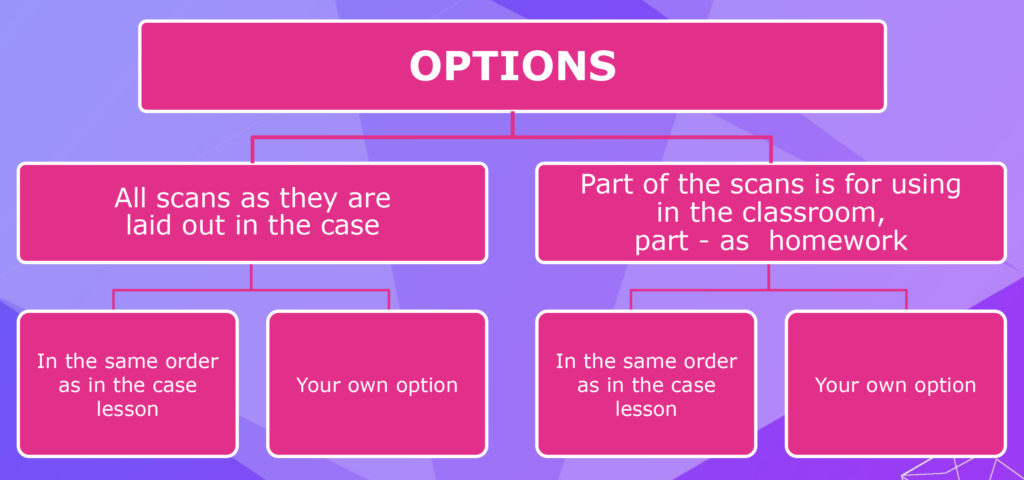
- Sequence of the sweep
- How to use the questions, tasks and projects of the case lessons effectively
The teacher analyzes the tasks and questions offered in the case lesson, selects the ones that are suitable for him, completes his materials or uses his own tasks (at will and need).
The teacher will decide for himself what tasks he will do with the students in the classroom, and which ones he will give as homework or mini-project assignments.
Tasks and questions can be offered to each student, depending on his level of preparation, it is possible to divide students into "pairs", groups or teams. The teacher or student can choose the task, making sure that the choice is coordinated with the teacher.
Time for classroom and homework assignments is determined by each teacher separately, depending on the level of preparation of his / her students.
Example:
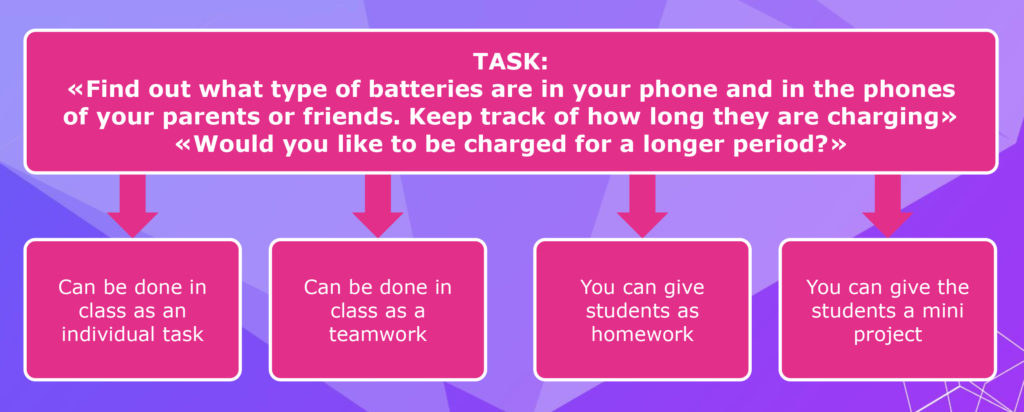
Most of the tasks offered in the case studies require personal parameters. For example: "measure your palm", consider ... "distance from your home", "your height", "your mobile phone", "your opinion", "your preferences" ...).
Example task:
Thus, the answers of all students will be different. This is necessary to enable students to receive different answers to typical questions. Therefore, you will not find the answers to these tasks in the case lessons.
Tasks for primary school students (mathematical calculations are not difficult there) also do not have nested "Answers".
However, some tasks include Answers, which are in the attachments to the case lesson.
Example:
- Methods of effective work with case-lessons materials
When preparing for the case lesson, the teacher should carefully think in advance what exactly to focus on, with the selection of the main and minor details.
Familiarization with the case lesson materials can be done in the following ways:
- The teacher can read to the students the materials of each case lesson scan (it's often used in primary school)
- The teacher invites students to read the materials of each case scan during the lesson, and then explains important points, incomprehensible snippets, and answers students' questions.
- The teacher may assign one or more assistant students to read, or narrate the materials of each case scan during the lesson.
The teacher can optionally use one or more of the suggested options, or choose his own option.
Some tasks and accelerating activities (the teacher chooses them independently from the suggested lessons or uses his own) can be used as a warming up before the lesson or scan, as well as used as needed during or after the lesson to relieve stress and increase students' activity .
The accelerating activities are located at the end of the lesson as a separate unit.
Example:
- Auxiliary and technical materials and tools for carrying out case lessons
The teacher determines independently what technical means he can use for carrying out the case lesson:
- computers
- tablets
- smartphones
- projectors
- etc.
The teacher should prepare supplies, tools, and equipment and, if necessary, print out the handouts used in the selected case lesson (some materials are included in the attachment to the case lesson).
Example:
Printout of materials should be considered carefully, because:
- it is not environmentally friendly
- economically impractical
- must not violate the User Agreement with the Edu Future 7W Platform
- Feedback between teacher and students
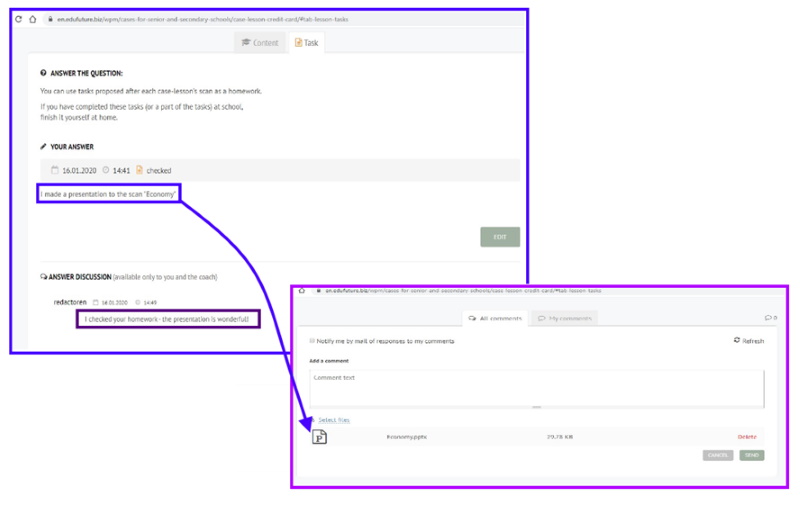
The EduFuture 7W platform provides the ability to assign tasks and communicate with students (give general and individual tasks and recommendations, monitor the tasks) online using a mini-chat. This chat will only be visible to the teacher and to the specific student. This chat is underneath each case lesson.
Example:
Screenshots of the task and the dialogue between the teacher and the student under the case lesson "Credit card":
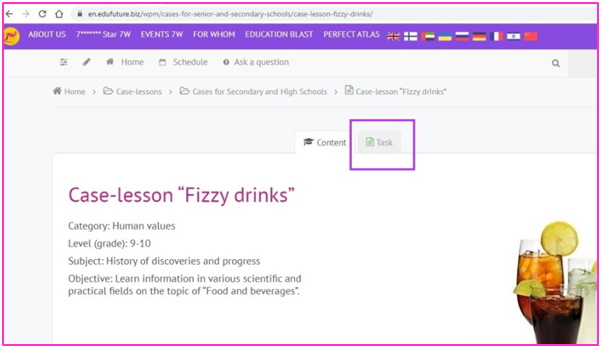
After the students complete all the tasks, at the top of each case lesson it is indicated that the student has completed all his or her tasks (the “Task” icon is highlighted in green):
The fact that a student has completed a case lesson on the platform is reflected in several ways:
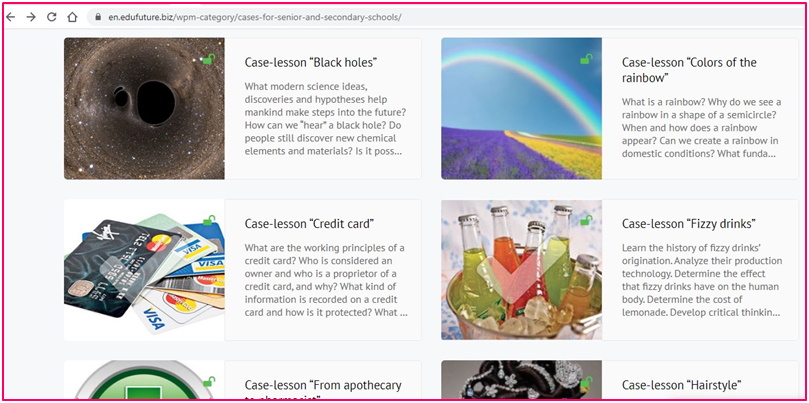
- in the general table of all suggested case lessons, the completed case is marked with a "V"
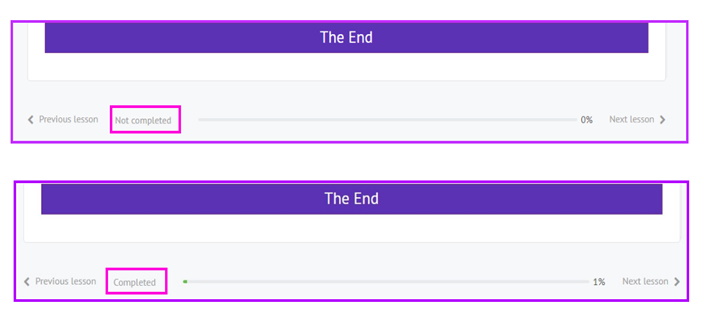
- a note about the completing of the case lesson by the student, which is visible for the teacher ("Completed" or "NotCompleted") appears at the bottom of the case lesson. It displays the total percentage of all the passed case-lessons:
- Completing the case lesson
From the experience of implementing case lessons, those teachers who have completed at least 2-3 such lessons are very quick to master this technology and continue to carry out case lessons confidently and easily